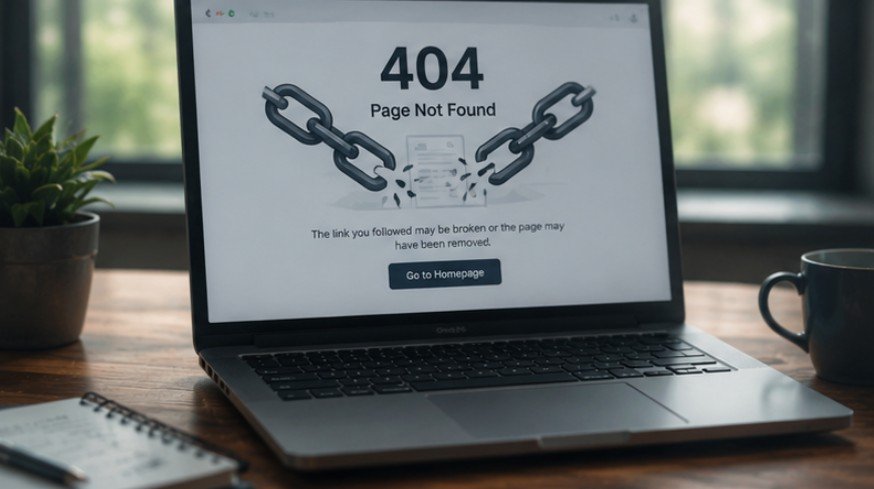
Cleaning up dead URLs on your site directly improves user experience and protects search engine crawler efficiency. Keeping dead pages off your domain keeps visitors engaged and ensures search engine bots crawl your high-priority pages without wasting crawl budget.
When you learn how to find and fix broken links across your site architecture, you protect your search engine visibility and maintain a flawless user experience for every visitor.
Key Takeaways
- Broken links damage user experience, waste crawl budget, and erode link equity.
- Primary causes include URL changes, page deletions, typos, and improper migrations.
- Automated crawlers and Google Search Console pinpoint dead internal and external URLs.
- 301 redirects or URL updates quickly restore link value and traffic flow.
- Regular audits prevent link rot, preserving domain health and search rankings.
Learning How to Find and Fix Broken Links
Imagine sending your visitors down a hallway where half the doors open into brick walls. That is exactly what dead URLs do to your site traffic. Mastering how to find and fix broken links turns those frustrating dead ends into smooth pathways.
You save your visitors from annoying 404 screens while showing search engine crawlers that your site is fresh, active, and worthy of top page rankings.
What Triggers Broken Links On Your Website?
A broken link occurs whenever a hyperlink points to a web resource that is missing, relocated, or completely inaccessible. Understanding how hyperlinks fail helps you quickly pinpoint and fix the root causes across your domain.
Common Technical Missteps
Changing page slugs without implementing 301 redirects instantly breaks existing internal links across your site. Site migrations, domain name updates, and structural URL changes frequently cause widespread 404 errors when proper redirect mapping is skipped during deployment.
Content Cleanups and Typos
Deleting outdated articles or removing discontinued products leaves lingering internal links pointing directly to dead end pages. Simple typographical errors during manual linking, like misplaced slashes or missing letters in target URLs, create broken links immediately upon publication.
External Site Changes

Linking to third-party sources carries the continuous risk that external domain owners will rename pages or shut down their websites entirely. These external changes turn your outbound references into dead links without warning, degrading your page quality over time.
Why Dead Hyperlinks Hurt SEO Rankings
Broken links act as digital roadblocks for search engine crawlers and website visitors alike. Search engine algorithms downgrade websites with high numbers of dead links because they signal poor technical maintenance and bad overall user experience.
Crawl Budget Exhaustion
Search engine bots allocate a specific crawl budget to analyze and index your domain. When crawlers hit broken URLs, they waste valuable requests on dead ends rather than indexing newly published articles or key landing pages.
Erosion of Link Equity
Inbound backlinks passing PageRank into a 404 page lose their ranking power entirely. Redirecting or updating those broken target pages instantly reclaims lost link equity and transfers authority back into your active sales funnels.
Broken User Experience
Landing on a 404 error page frustrates readers, driving up bounce rates and damaging brand trust. Seamless internal navigation keeps visitors on your site longer and increases overall conversions across your conversion funnels.
Finding Broken Links Across Your Pages
Identifying non-working links requires using specialized web crawlers, site audit tools, and analytics platforms. Finding broken links early helps you resolve errors before search engine bots re-index your pages.
This maintenance is especially important after publishing content based on how to find low competition keywords. Broken internal links can prevent search engines and readers from discovering those strategically targeted pages, limiting their ability to attract organic traffic and strengthen topical authority.
Google Search Console Audits
Log into Google Search Console, navigate to the Pages report, and filter for Not Found (404) status errors. Search Console highlights pages that Google tried to crawl but failed to process due to broken URL paths.
Desktop and Cloud Crawlers

Tools like Screaming Frog, Ahrefs, and Semrush scan every internal and outbound URL across your entire site. Desktop scanners run website scans like Dr. Link Check or Dead Link Checker to locate dead URLs inside your content management system.
Review the generated report to review the broken URL, the error type such as a 404 not found, and the exact source page where the link lives.
Google Analytics 4 Tracking
Set up custom page title tracking in GA4 to capture visitors hitting your 404 page error template. Combining URL pathways with previous page paths shows precisely where lost users clicked broken hyperlinks before bouncing.
Fixing Broken Links for Better Navigation
Fixing dead links requires choosing the right technical solution based on link location, traffic volume, and page intent. Log into your website platform or content editor and open the specific page containing the dead link.
A strong internal linking strategy for blog posts makes these repairs easier by creating clear pathways between related articles. Replacing broken connections with relevant live pages preserves navigation, distributes authority, and keeps valuable content integrated into your wider topic clusters.
Use shortcut keys like Ctrl + F or Cmd + F to find the anchor text on that page, then apply your chosen repair method.
Update the Destination URL
When internal links contain simple typos or point to relocated pages, edit the source page HTML directly. Replacing broken destination URLs with active, correct working links cleans up internal linking structures and ensures smooth reader navigation across your content ecosystem.
Remove Unnecessary Hyperlinks
If a dead external page offers no equivalent replacement and the reference is no longer needed, remove the hyperlink entirely. Stripping non-functional external links cleans up your page code and keeps users focused on your primary content without leaving broken pathways behind.
Set Up 301 Redirects
If the old page has moved permanently to a new address, redirect the old URL to a new live page using a 301 redirect. Permanent 301 redirects automatically route visitors and crawlers to active, relevant replacements, preserving hard-earned incoming backlink value and preventing traffic loss.
Proactive Strategies to Prevent Link Rot

Preventing broken links before they happen keeps your site architecture clean and stable over time. Establishing routine maintenance workflows saves hours of manual troubleshooting in the future.
Create URL Mapping Rules
Draft comprehensive redirect mapping matrices before launching site redesigns or changing URL structures. Mapping every legacy path to its new counterpart prevents site-wide 404 spikes during major cms migrations or domain rebrands.
Automated Broken Link Monitoring
Schedule automated weekly or monthly site audits through crawling tools to catch dead links early. Automated email alerts notify your content team about broken links before they impact organic search rankings or user flow.
Manage External Link Health
Audit outgoing external links every quarter using automated link checking software. Replacing dead external sources maintains site credibility, improves reader trust, and ensures visitors always access valuable references.
Frequently Asked Questions
1. How to find website broken links?
You can find website broken links by using Google Search Console to check coverage reports or running automated site audits with tools like Screaming Frog, Ahrefs, and Dead Link Checker to flag non-working 404 URL responses.
2. How do I fix broken links?
You fix broken links by updating incorrect URLs directly inside your content editor, setting up 301 redirects to point old paths to active pages, or removing dead hyperlinks entirely when no suitable replacement page exists.
3. What tool is used to find broken links?
Popular tools used to find broken links include Google Search Console, Screaming Frog SEO Spider, Ahrefs Site Explorer, Semrush Site Audit, and dedicated web scanners like Dr. Link Check or Dead Link Checker.
4. What to do if a link is broken?
When a link is broken, locate the source page in your content management system, search for the anchor text, and choose whether to update the target URL, apply a 301 redirect, or remove the link completely.
Don’t Let Dead Links Break Your SEO Dreams!
Taking control of your technical SEO means actively inspecting your domain for dead ends. Now that you understand how to find and fix broken links step by step, you can run routine site audits to keep your architecture pristine.
Protecting your link equity, preserving crawl budget, and serving seamless pages ensures your website maintains high rankings and happy visitors for the long haul.